Tap Drift
Casual Games


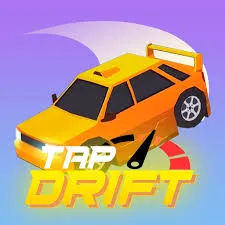
Tap Drift













| Developer | AZ Games |
| Released | 2025-01-01 |
| Platform | Desktop, Mobile, Tablet |
| Technology | HTML5 |
| Category | Casual Games |
The whole game is one button
Tap Drift is a one-tap racing game, and the one-tap part is not a gimmick — it's the entire game. Your car drives itself forward. You don't steer, accelerate, or brake. The only thing you control is when to drift and how long to hold it. Tap and hold to slide through a corner, release to straighten out. That's it. Every crash is a timing error, and every clean corner is a timing win.
If that sounds too simple, it's deeper than it looks. If it sounds relaxing, it's not — the timing window gets brutal.
Why one button is enough
The depth comes from the corners. Each turn has its own angle and length, and your drift has to match — a tight hairpin needs a long hold, a gentle curve needs a quick tap. Hold too long and you spin into the outside wall. Release too early and you clip the inside. There's no single "drift" that works everywhere; you're constantly reading the next corner and adjusting your timing to fit it. That read-and-match loop is the whole skill, and it's genuinely satisfying when you start nailing corners in sequence.
It's the same DNA as the one-tap reflex games, applied to racing. Simple input, real ceiling.
The release point
Everyone focuses on when to start the drift, but the release is where runs live or die. The moment you let go decides how your car comes out of the corner — release clean and you're lined up for the next straight, release sloppy and you're crooked and slow into whatever's coming. Spend time learning the release, not just the start, and your consistency jumps. Players who only think about the start of the drift plateau; players who own the release climb.
Consecutive corners
The mean part is when the game throws several corners at you in quick succession, because you can't plan the whole sequence — you have to solve one corner, land clean, and immediately read the next. That's where the timing crumbles for most people, because one sloppy release snowballs into a bad line into the next turn into a crash. Stay calm, solve one corner at a time, and don't try to think three turns ahead.
How it compares
It's the racing cousin of the one-tap games like Chicken Flip and Color Jump — same "one input, real ceiling" philosophy, applied to drift timing instead of flipping or matching. Pick it when you want a timing game with a racing skin.
Honest take
The one-button conceit will either hook you or lose you in five minutes, and there's no middle ground. If you click with timing games — the satisfaction of a perfectly-held drift that snaps you clean out of a corner — Tap Drift is a quietly excellent one, with a real skill ceiling and a clean look that keeps the focus on the driving line. If you find timing games tedious, no amount of drifting will change your mind.
It's also one of the best-suited games on the site for touch, because the single input maps perfectly to one finger. Quick sessions, instant restart, no clutter. Treat it as a skill climb rather than a content game — there's no story or progression to carry you, just the satisfaction of corners you couldn't nail last week that you can this week. That's enough for the right player.
Quick questions
Really just one button? Yes. The car drives itself; you only control drift timing. That's the whole game.
How do I get better? Read each corner's angle and match your drift length to it. And master the release — it matters as much as the start.
Is there progression? Tracks unlock as you clear them, with tighter corners and more speed. Treat it as a skill climb, not a grind.
Free and in-browser? Yes — no install, plays in the browser, works great on touch.
You May Also Like
Discuss Tap Drift
0 commentsLoading comments...